by WebKeyDesign | Aug 18, 2005 | Web Site Basics
This is perhaps the most asked question I hear from potential clients. How do you build a web site (when you do not know how)? Essentially there are three components to every site. First you must register a domain name, second you must have a web server to serve your web site, and lastly are the web pages themselves.
In Choosing Your Domain Name, I kind of covered some basic ideas on how to come up with a domain name for your site, so I will not cover that subject, but instead talk about what registering your domain name really means.
Domain names are not really owned as much as they are leased on a yearly basis, or for whatever amount of years you pay to register the domain name. Once you register your domain, your personal information is kept on file for that domain and is available to any one who does a WhoIs search on your domain. Some people find this disturbing and the industry has come up with privacy protection, where individuals who register domains can purchase privacy protection for an extra yearly fee. This privacy protection is still not officially recognized, so the registrars are doing this on their own to help customers have a service they want.
Besides letting know everyone, that you own the domain for a certain amount of time, your registrar also provides options to change your DNS record, the most important part of this being the official nameservers for your domain. Nameservers are the servers that tell the rest of the internet, where your actual website pages are located, on what actual machine. Your DNS record points any requests for your web site to these nameservers, who in turn point the request to the appropiate server, once it gets there, the web server knows which directory your web pages are and then serves them to who ever requested them. When you first purchase a domain name the nameservers will be defaulted to the registrar that you registered the domain with. You must change them if the registrar is not providing you with a hosting account from which to host your pages on.
This brings us to step 2, the web server. This is the physical server that will actually serve or deliver your web pages to any computer or device that requests them. This is what is meant by a web host or web hosting account.
(more…)
by WebKeyDesign | Aug 15, 2005 | CSS
It is possible to create a simple navigation menu box with CSS. In fact I see this same style of menu for many of the templates for Mambo and WordPress. Here is a code sample of such a menu:
#menu_box {
	width: 200px;
	font-family: Verdana, Helvetica, sans-serif;
	border-top: 1px solid #666666;
	border-bottom: 1px solid #666666;
}

#menu_box ul {
	list-style: none;
	margin: 0;
	padding: 0;
}

#menu_box li {
	border-botom: 1px solid #666666;
}

#menu_box li a {
	display:block;
	padding: 5px 5px 5px 0.5em;
	border-left: 10px solid #0066CC;
	border-right: 1px solid #666666;
	background-color: #CCCCCC;
	color: #FFFFFF;
	text-decoration: none;
}

#menu_box li a:hover {
	background-color: #0066CC;
	color: #FFFFFF;
}
The end result is a menu without tables, that highlights when you hover over any of the links.

CSS Menu Demo and CSS Menu StyleSheet
by WebKeyDesign | Aug 12, 2005 | CSS
Here are a few basic CSS tips that you should learn if you are new to using stylesheets.
Basic Mouseover Color Links:
a:link, a:visited {
     text-decoration: underline;
     color: #0000FF;
}

a:hover, a:active {
     text-decoration: none;
     color: #DC143C;
}
Note: Links should be specified in the following order:
- link
- visited
- hover
- active
Underline Effect for Headings:
h1 {
     font:  Verdana, Arial, sans-serif;
     padding: 3px;
     border-bottom: 1px solid #000000;
}
Basic Indent For Paragraphs:
.indent {
     padding-left: 20px;
}
In the html code you would simply use the paragraph tag like this:
<p class="indent">This is my paragraph text.</p>
Use Images For List Bullets:
ul {
     list-style-images: url(image_name.gif);
}
This should make all of the li tags inherit the setting.
by WebKeyDesign | Aug 11, 2005 | Firefox
It looks like the Deer Park Check For Updates option now works. However you have to change the url that it uses to check for the latest version. You can use the about:config url to change the setting: app.update.url. The url to use is: (more…)
by WebKeyDesign | Aug 9, 2005 | Firefox
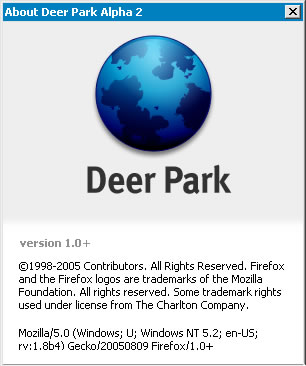
2005 will be the year of the new browser wars for sure. Although Apple’s Safari RSS did not seem much more than a few bug fixes and RSS support, the announcement of IE7 was a good sign of the impending battles between all the browsers. However Firefox 1.5 is coming closer to beta, as you can see it is already in Alpha 2.
If you decide to try out Deer Park, make sure you disable the ImageZoom extension as it has a bug that causes DP to render some text underneath the status bar. Other than that Deer Park is pretty good at disabling extensions that are not compatible.
If you just can’t live without a theme, according to this post on the Mozillazine forums, there is a version of Qute already ported for Deer Park.