by WebKeyDesign | Oct 11, 2007 | Apple
 After years of denying myself a cell phone, I finally could no longer forestall the inevitable and decided to give more of my money to Steve Jobs. The end result is my new Apple iPhone which I have come to nickname Athena. In the past 12 months I have had to be on-call for my day job and so I have had to carry some sort of company cell phone. The first was a Microsoft Windows Mobile which I must admit was easy to use, if you have had any experience with Windows at all. The second was a 7100 Blackberry which I found user-unfriendly and annoying to use if you were trying to do anything with it that was not phone related. For example, trying to use BlackBerry Browser or even Opera Mini on it was an exercise in futility. It took forever to type in urls, and when it did display a web page it was hard to look at. Some sites were better than others, but overall I really could not do much with the Internet on the Blackberry.
iPhone 1.1
Since the iPhone 1.1 Update came out the day after I got the phone, I never had a chance to really experience the iPhone at 1.0. That much said, after spending $400 for the phone itself, another $25 on a case, then there is the $36 activation plan, and then the $80 plan, the money quickly adds up and in the end you have what many consider an over-priced phone, (that is until you start looking at other smartphones and find out that the iPhone is not even the most expensive phone out there).
My daily experience is that I leave my iPhone charging overnight (connected to my Powerbook). I use iTunes to eject the iPhone and then physically unplug it from its cable. The iPhone comes with a dock, but if you use a case, it is much easier to just use the connection cable without the dock. I have setup the phone to use an unlock code, so after pressing the home button which is located towards the bottom, you then slide your finger on the bottom of the screen and enter your pass code. The iPhone comes up to your last screen, or the Home screen.
The Home screen has all your applications: Text for text messaging all your friends, Calendar for keeping track of your dates, Photos which holds your saved images (on a Mac, this syncs up with iPhoto), Camera for taking quick pictures, YouTube for watching videos, Stocks for seeing how rich Apple is getting everyday, Maps is straight from Google, Weather, Clock which has a world clock, stop watch, and alarms, Calculator, Notes which lets you jot down quick notes, Settings for all things you need to change or know about your iPhone, and iTunes which is the iTunes Store and not your iPod.
At the bottom of the Home screen there is a dock which has four buttons, which are really the four main uses of the iPhone: Phone for making calls, Mail for email, Safari for web browsing, and iPod for listening and viewing your iTunes collection.
Wow, It’s an iPhone!
While I asked everyone what they thought of the iPhone as a phone, the most I heard was that it was adequate as a phone. There is really nothing spectacular about the iPhones phone features. Where the iPhone really impresses is with Web browsing and the touch interface which allows you to be more productive then other phones. Originally I had settled on three choices for a phone, the Blackberry Pearl, a Samsung Blackjack, or an iPhone. Since I really wanted was a good internet browsing experience, it came down to the Blackjack or iPhone, however in the end I can never resist Apple technology, so I am sure it really was not that hard of a choice after all.
Some of the best things I like doing on the iPhone are adding contacts, connecting to WiFi networks, surfing the Web, and checking my email accounts. The contacts are actually under the Phone section and they sync up with the Address Book in Mac OS X. The iPhone automatically can connect to most open WiFi networks, though I have had problems with networks that require a sign-up page in a browser. For my own secure WPA network, it took a while to get it connected due to my long pre-shared key, but now that it is setup, I enjoy very speedy browsing at home. You can even use your iPhone to scan for wireless networks. For email, I was able to setup GMail very easily and personal domain email takes a bit longer to setup, but works equally well.
Overall with the iPhone, you can stay connected all day long to the Internet, to phone calls, to email. It is almost frighteningly to think about if you believe in conspiracy theories.
Limitations
Given everything that is great about the iPhone, there are some limitations. Namely you are tied to AT&T for two years. You can change your plan at any time without a fee, but plan changes reset your contract, so be aware of this before changing plans! Text Messaging is limited for the cheaper plans, so you might want to upgrade to unlimited messaging. There is no IM client builtin, so you will have to use a web service for instant messaging. Hardware wise, the biggest complaint is the battery, which is not user replaceable. And of course Apple and AT&T have locked the iPhone pretty well from anything that can hurt their business model. If you can live with all these limitations, then the iPhone experience is a pretty amazing one.
More iPhone Opinons
by WebKeyDesign | Aug 27, 2007 | Book Reviews
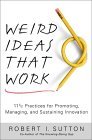 In the past few months, I have had to study up on how to be a good manager for my day job and one of the business professional books that I happen to stumble upon is Robert I. Sutton’s Weird Ideas That Work (How to Build a Creative Company). Many readers probably know of Sutton’s more recent book, The No AssHole Rule, which illustrates the problems in the workplace when people act like jerks. Weird Ideas That Work sets out to describe a set of ideas that can help companies and even creative individuals to jumpstart their creativity, and while the ideas themselves sound very simple, from experience I concur that they are almost always never executed at most companies.
The Ideas
First up, Sutton suggests that creativity is needed if your business is to survive. No company can stay at the top of its game, unless it invests its employees in being creative and working on future products and services. Given that much this is why you really should execute some of these ideas, because in the long run they will lead to future business growth. The keyword here is future, not present market share or current profits.
The first two ideas are all about hiring people who you will have a difficult time. Sutton suggest that you need to hire “Slow Learners” (people who do not adopt themselves quickly to the workplace code) or people who make you feel uncomfortable. This does not necessarily mean critical people, for example in my own experience, just hiring an intern for our department made a significant difference in our everyday workplace. It allowed us to see a different perspective on why we had certain procedures, which eventually lead to us rethinking some of them. Secondly hire people you do not need. This may sound idiotic, but it actually helps. Hiring people outside of the field of work, can bring different perspectives and expertise to projects that may have become routine and less innovative than they were originally.
The third idea is to use job interviews to get ideas. This is something I hope to try next time we have an open position. This is actually pretty interesting. I had never thought of presenting a real problem to a job candidate and seeing what they could come up with. If nothing is gained, it can at least make the interview process more interesting than your usual interview questions.
At number four, Sutton recommends you encourage defiance in your employees. This does not mean letting people come in late and leave early, it means employees should follow their instincts and their passions and work on things that get them excited even if their managers do not like their project or ideas. Sutton gives many examples of when employees defied management and the end results were big profits and innovation for the companies involved. This makes me think more about how you want people to be independent thinkers and not obedient drones. In everyday life, independent workers will correct your managerial mistakes, but drones always do what you say, even if it your decisions are the wrong ones to execute.
While happy people are great to work with, they may not be creative? Sutton suggests that you should seek out happy people and get them to fight, for idea number five. This actually makes sense. The workplace should be about conflict and letting the best ideas win. How else can you make sure you are getting the best widgets if people do not fight about how to make the best widget in the first place.
Perhaps the hardest thing for companies to do is to reward failure. Sutton points out that to be creative as a company or individual, means you have to fail thousands of times before getting a few good products. In other words success only comes from learning to fail literally many times before. If people are not failing or succeeding, then it usually means they are inactive, and inactivity definitely needs to be punished. I do not know of many people who think this way, but inactivity is exactly what is wrong with many work places. For idea number six, Sutton recommends you reward people who fail often and punish inaction.
At number seven, we have the idea that thinking positive can indeed bring success. This is based solely on the fact that negativity kills productivity, but positive feedback is contagious and can literally inspire people to actually believe they can succeed where others fail. The suggestion is that as a manager you should decide to do something that will probably fail, then convince yourself and everyone else that success is certain. This goes along with idea number eight, which is to think of ridiculous and impractical things to do and then execute them. I see this as brainstorming, but it also can work to wake people up and get them out of their boredom.
Number nine is all about deflection. You should try to avoid, distract, and bore customers, critics, and anyone who just wants to talk about money. This should be done in order to let your people nurture their ideas and projects. Most often when an idea is genuinely innovative, it can take a while to develop. Showcasing something before it is ready is never a good idea, and so you should keep others away until you are ready to unveil your pet project.
Sutton suggests for idea number ten, that you should stop trying to learn anything from people who seem to have solved your problems. Obviously there is merit in learning from other successful coworkers, but to be creative, you have to approach problems in as many different ways as possible. Gaining the same perspectives about how to solve something is not going to yield creative results. The one exception would be if you asked for advise from someone outside your area of work.
Lastly Sutton champions forgetting the past successes of your company. There is not much value in reinventing the widget if the widget is now common place. Instead your focus should be on new ideas and products that perhaps your company never thought about. After all, IBM started out selling type writers, yet today, it is much more than type writers.
by WebKeyDesign | Jun 19, 2007 | Microsoft
Over the last month, I have had to do a lot of software testing and I have had to install Linux, Windows XP, and even Windows98, a few times on Virtual PC 2007. Undeniably I have come to some conclusions on operating system installs and Virtual PC as a testing tool. Without a doubt Virtual PC has too many flaws to be the testing tool I wanted it to be. Microsoft has taken Connectix’s Macintosh product and made it into a virtualization tool for Windows users who want to install all different flavors of Windows on their PC, but in doing so they have not improved on the product as one would imagine they would.
- 16-bit color is still really the optimal choice for most virtual machines. This is something that you run into right away when you try installing Ubuntu or Fedora, which default to 24-bit color.
- Virtual machines are not technically virtual, because there is no way to give a machine more memory than is available physically on your machine.
- Accelerated video is still missing from Virtual PC, which means your hi-end video card won’t due much for your virtual machines.
As for Linux, after installing Ubuntu, Kbuntu, and Fedora 6 and trying to setup LAMP (Linux + Apache + MySQL + PHP) along with Webmin and PHPMyAdmin, I started to miss Mac OS X and Windows. The package installer in Ubuntu is by far the easiest to use, but to enable extra packages and get dependencies updated, you still have to resort to the command line, and even then just to install Webmin takes more than just a couple of commands. Fedora was actually harder to use when it came to installing other software. On the other hand Fedora was faster and more responsive than Ubuntu. In the end I finally got everything setup in Ubuntu, and even resolved myself to using GNOME, and dare I say, liking some aspects of it, but as a desktop Mac OS X is so much easier to use and maintain, that I really wonder why anyone would want to use Linux or Debian.
When it comes down to it, Ubuntu and Fedora are great systems for running Apache and PHP, but their desktop use is arguably not any better than Windows or Mac OS X. Microsoft has not improved on Virtual PC, since aquiring Connectix, and worst of all they killed another great application on the Mac platform.
